
Invacare Hospital Bed Instruction Manual: A Comprehensive Guide
Welcome! This manual provides essential guidance for safe operation, assembly, and maintenance of your Invacare hospital bed, ensuring optimal patient comfort and care.
Congratulations on selecting an Invacare hospital bed! This bed is designed to provide comfort, support, and enhanced independence for individuals requiring extended care or recovery. This manual serves as a comprehensive resource, detailing all aspects of your bed’s operation and maintenance.
Invacare is committed to delivering high-quality healthcare equipment, and your hospital bed reflects this dedication. Before using the bed, please thoroughly read this instruction manual to familiarize yourself with its features, functions, and safety guidelines. Understanding these details will ensure both the patient and caregiver can utilize the bed effectively and safely.
This bed offers a range of adjustable positions to promote optimal comfort and facilitate various caregiving procedures. We encourage you to explore these features and customize the bed to meet individual needs. Remember, proper usage and regular maintenance are key to maximizing the lifespan and performance of your Invacare hospital bed.
Safety Precautions & Warnings
Important Safety Information: Prioritize patient safety during all aspects of bed operation. Always ensure the bed is on a level surface and the brakes are securely locked before transferring a patient in or out. Never exceed the maximum weight capacity (detailed in the following section).
Inspect all components regularly for signs of wear or damage. Do not use the bed if any parts are missing or broken. Electrical safety is paramount; avoid using the bed near water and ensure the power cord is undamaged. Be mindful of pinch points during adjustment and keep them clear of patients and caregivers.

This bed is intended for use by trained healthcare professionals or under their direct supervision. Improper use can result in injury. Familiarize yourself with all emergency stop functions and understand how to manually lower the bed in case of a power failure. Always follow the guidelines outlined in this manual.
General Safety Guidelines
Essential Practices for Safe Use: Regularly check the bed’s stability before each use, verifying all locking mechanisms are engaged. Maintain a clear space around the bed to facilitate safe patient transfers and caregiver access. Always communicate clearly with the patient during positioning adjustments.
Avoid placing the bed in direct sunlight or near heat sources. Ensure proper ventilation around the electrical components. Never attempt to modify the bed’s structure or functionality without authorization from Invacare. Use only approved accessories designed specifically for this hospital bed model.

Train all personnel involved in patient care on the proper operation of the bed and its safety features. Document any incidents or malfunctions immediately. Prioritize patient comfort while adhering to all safety protocols. Regularly review these guidelines to reinforce safe practices.
Weight Capacity & Limitations
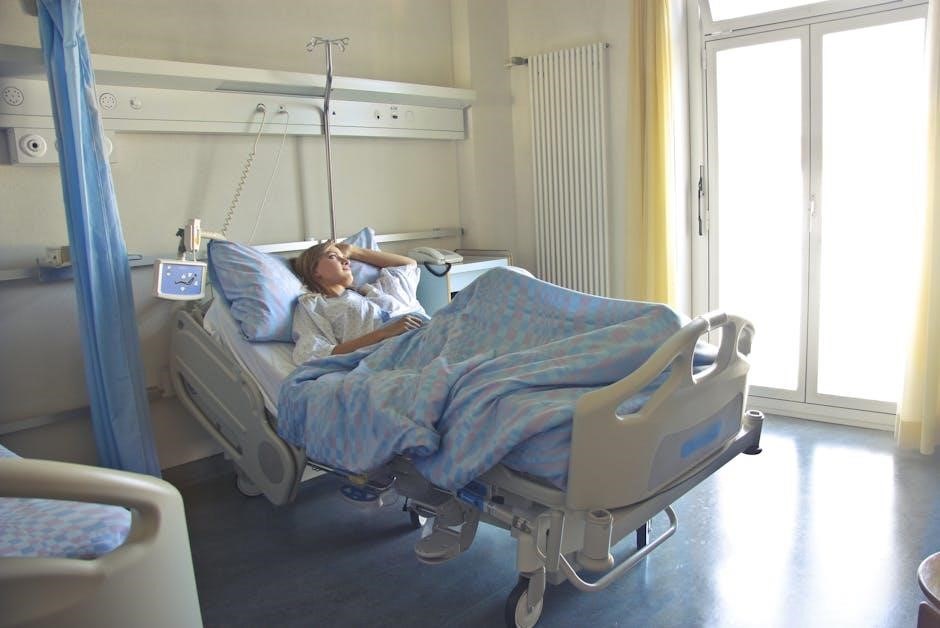
Understanding Safe Load Limits: This Invacare hospital bed is designed to safely accommodate patients weighing up to 450 pounds (204 kilograms). Exceeding this weight capacity may compromise the bed’s structural integrity and void the warranty.
Do not concentrate weight unevenly on the bed surface; distribute the patient’s weight as evenly as possible. Consider the weight of any accessories, such as overbed tables or IV poles, when calculating the total load.
This bed is intended for use with patients requiring hospital-level care and is not designed for bariatric patients exceeding the stated weight limit. Regularly inspect the bed frame and components for any signs of stress or damage. If damage is detected, discontinue use immediately and contact Invacare support.
Electrical Safety Information
Important Precautions: This Invacare hospital bed operates on standard 120V AC power. Always ensure the power cord is securely plugged into a grounded outlet. Never use extension cords or adapters. Inspect the power cord regularly for damage – fraying, cuts, or exposed wires – and replace it immediately if any are found.
Avoid operating the bed in damp or wet environments to prevent electrical shock. Do not immerse the control box or power cord in water. If the bed becomes wet, disconnect it from the power source before attempting to dry it.
Only qualified personnel should perform electrical repairs. Disconnect the bed from the power source before cleaning or performing any maintenance. Do not attempt to modify the electrical system in any way.
Bed Components & Identification
Familiarize yourself with the key parts of your Invacare hospital bed. The bed frame provides the structural foundation, typically consisting of head, foot, and center sections for articulation. The control panel manages bed positioning and features – we’ll detail its functions shortly.
Side rails are crucial for patient safety, preventing falls and assisting with repositioning. Note their locking mechanisms. You’ll also find the mattress support surface, designed for comfort and pressure redistribution.
Additional components may include IV pole sleeves, accessory hooks, and transport handles. Refer to the included parts list to verify all components are present. Understanding each part’s purpose is vital for safe and effective operation. Detailed diagrams are provided in the appendix.
Bed Frame & Sections
The Invacare hospital bed frame is constructed from robust steel, designed for stability and durability. It’s typically divided into three primary sections: the head section, which elevates the upper body; the foot section, for leg elevation; and the center section, providing overall bed length adjustment.

Each section articulates independently via the bed’s electric or manual mechanisms. Observe the frame for weld points and structural supports. Ensure all joints move smoothly. The frame also incorporates slots or attachments for side rails and accessories.
Regularly inspect the frame for any signs of damage, such as cracks or bends. Proper frame integrity is essential for patient safety and bed functionality. Familiarize yourself with the range of motion for each section.
Control Panel Overview
The Invacare control panel is the central hub for operating your hospital bed. It typically features clearly labeled buttons for adjusting the head and foot sections, as well as bed height. Some models include buttons for specialized positions like Trendelenburg and Reverse Trendelenburg.
A prominent emergency stop button is usually present, immediately halting all bed movements. An integrated nurse call button may also be included for patient assistance. Digital displays show bed position and battery status (on wireless models).
Familiarize yourself with each button’s function before use. The panel may have a lock/unlock feature to prevent accidental operation. Always test the functionality of each button to ensure proper operation. Refer to the panel’s diagram for specific button locations.
Side Rails & Their Function
Side rails are crucial safety features on your Invacare hospital bed, designed to prevent falls and assist with patient repositioning. They can be raised or lowered independently, offering customizable protection. Ensure rails are securely locked in position before patient use.

Some models feature half-length rails, while others have full-length rails. Certain rails incorporate a release mechanism for easy access for caregivers. Always explain the rail operation to the patient, if possible, and demonstrate how to use them safely.
Never force the rails; they should move smoothly. Regularly inspect the rails for damage or looseness. Proper side rail usage significantly enhances patient safety and peace of mind. Remember to adhere to facility protocols regarding side rail utilization.
Assembling Your Invacare Hospital Bed
Careful assembly is vital for safe and reliable bed operation. Begin by clearing a spacious, clean area. Refer to the parts list to verify all components are present. The bed frame typically assembles in stages, starting with the headboard and footboard attachment to the side rails.
Use the provided hardware kit, ensuring all bolts are tightened securely, but avoid over-tightening. The mattress support then attaches to the frame. Two-person assembly is highly recommended, especially for larger models. Consult the detailed diagrams included for visual guidance.
Once the frame is complete, proceed to attaching accessories and connecting the control panel. Double-check all connections before use. A properly assembled bed ensures patient safety and optimal functionality.
Unpacking & Inventory Check
Carefully unpack all components from the shipping container, avoiding the use of sharp objects that could damage the bed or its parts. Retain the packaging materials until assembly is complete and you’ve verified all parts are accounted for. Cross-reference the physical components with the detailed parts list included in this manual.
Inspect each item for any shipping damage – dents, scratches, or missing pieces. Note any discrepancies immediately and contact Invacare customer support. The inventory should include the bed frame sections (headboard, footboard, side rails), the mattress support, the control panel, and a hardware kit containing bolts, screws, and other fasteners.
A complete inventory ensures a smooth assembly process and prevents delays. Document any issues before proceeding.
Attaching Side Rails & Accessories
Securely attach the side rails to the bed frame using the provided hardware. Ensure the rails ‘click’ or lock into place, verifying a stable connection on both sides. Proper installation is crucial for patient safety, preventing accidental falls. Next, attach any included accessories, such as IV pole sleeves or personal item pouches, following the diagrams in this manual.
Double-check all connections, tightening bolts and screws as needed, but avoid over-tightening. Confirm the side rails move smoothly within their range of motion, allowing for easy adjustment. Inspect the locking mechanisms to ensure they function correctly. Finally, verify that all accessories are firmly attached and won’t interfere with bed operation.
Connecting the Control Panel
Locate the control panel cable extending from the bed’s electrical box. Carefully insert the control panel connector into the corresponding port on the control panel unit itself, ensuring proper alignment. You should hear or feel a secure ‘click’ indicating a firm connection. Avoid forcing the connector; incorrect insertion can damage the components.
Once connected, verify the control panel illuminates and displays operational settings. Test each function – head/foot adjustment, bed height, and any specialized features – to confirm proper communication between the panel and the bed’s motors. If the panel doesn’t activate, double-check the cable connection and the power supply. Refer to the troubleshooting section if issues persist;
Operating the Bed – Basic Functions
Familiarize yourself with the control panel buttons before assisting a patient. The primary functions include adjusting the bed’s height, backrest angle, and legrest position. Pressing the corresponding up/down buttons will initiate these movements; release the button to stop. Ensure smooth, controlled adjustments to prevent discomfort.
Bed height adjustment is crucial for safe patient transfers and caregiver access. Lower the bed for easier entry/exit and raise it for optimal working height. Always lock the bed wheels before making significant adjustments. The backrest and legrest controls allow for personalized positioning, promoting comfort and pressure relief. Practice these functions to gain confidence.
Adjusting Bed Height
To adjust the bed height, locate the dedicated up and down buttons on the control panel – typically indicated with arrow symbols. Press and hold the ‘up’ button to raise the bed and the ‘down’ button to lower it. Observe the height indicator, if present, for precise positioning.
Prior to any height adjustment, ensure the bed’s locking casters are engaged to prevent accidental movement. Lower the bed to facilitate safe patient transfers in or out of the bed. Raise the bed to a comfortable working height for caregivers, minimizing strain during procedures. Always communicate with the patient during height adjustments, ensuring their comfort and safety. Release the button immediately when the desired height is reached.
Backrest & Legrest Positioning
Adjusting the backrest and legrest is achieved using the corresponding buttons on the control panel, often labeled with icons depicting a person sitting or legs elevated. Press and hold the ‘backrest up’ button to elevate the upper body section, and ‘backrest down’ to lower it. Similarly, use the ‘legrest up’ and ‘legrest down’ buttons for leg section adjustments.
Ensure patient comfort throughout these adjustments, frequently asking for feedback. Avoid abrupt or rapid movements. The backrest can be raised for reading, eating, or watching television. The legrest elevation can help reduce swelling in the lower extremities. Always maintain proper body alignment during positioning. Release the buttons when the desired angle is achieved, and confirm the patient is stable and comfortable.
Trendelenburg & Reverse Trendelenburg (If Applicable)
If your Invacare bed model includes Trendelenburg and Reverse Trendelenburg capabilities, dedicated buttons on the control panel will activate these functions. Trendelenburg positions the bed with the foot higher than the head, potentially aiding in venous return during certain medical situations – use only as directed by healthcare professionals. Reverse Trendelenburg elevates the head of the bed higher than the foot.
Activate these positions cautiously and monitor the patient closely. Prolonged use can cause discomfort or physiological changes. Never leave a patient unattended during these maneuvers. Ensure side rails are appropriately positioned for safety. These functions are typically indicated by up and down arrows with a bed outline. Always consult with a medical professional before utilizing these features.
Advanced Features & Settings
Your Invacare hospital bed may offer advanced functionalities beyond basic positioning. These features are designed to enhance patient independence and caregiver efficiency. Explore the Chair Position Function, which gently elevates the upper body and bends the knees, simulating a seated posture for comfortable reading or interaction. Some models include Bed Exit Assist Features, providing gentle assistance during sit-up and stand-up movements – always supervise patient use.
Familiarize yourself with the Lock/Unlock Mechanisms, which secure the bed’s position and prevent accidental adjustments. These are crucial for patient safety. The control panel may also offer programmable settings for personalized comfort. Refer to the specific model’s detailed instructions for precise operation of these advanced features. Proper understanding ensures optimal benefit and safe utilization.
Chair Position Function
The Chair Position Function elevates the head section of the bed while simultaneously flexing the knee section, creating a comfortable, semi-seated posture. This is ideal for patients who wish to read, eat, or participate in activities while in bed. To activate, locate the dedicated ‘Chair’ button on the control panel – it’s often symbolized by an icon resembling a seated person.
Press and hold the button until the bed reaches the desired chair position. Release the button to stop the movement. Avoid forcing the bed beyond its comfortable range. Always ensure the patient is properly supported with pillows for optimal comfort and safety. This function is not intended for extended periods and should be used with caregiver supervision. Return to a flat position periodically to prevent pressure sores.
Bed Exit Assist Features (If Applicable)
Certain Invacare hospital bed models are equipped with Bed Exit Assist features designed to aid patients with limited mobility. These features typically include a lift function or specialized side rail configurations. The Lift Assist gently elevates the upper body section, providing leverage to help the patient sit up and swing their legs over the side of the bed.

To utilize, ensure the bed is in a slightly elevated position. Activate the ‘Exit Assist’ button on the control panel (refer to the control panel overview for location). Never attempt to use this feature without proper instruction and caregiver assistance. Specialized side rails may lower or retract to facilitate safer transfers. Always prioritize patient safety and provide adequate support during the exit process. Regularly inspect the functionality of these features.
Lock/Unlock Mechanisms

Invacare hospital beds incorporate several locking mechanisms to ensure stability and prevent accidental operation. Central locking brakes on the bed’s casters immobilize the entire unit, crucial during patient transfers or when the bed is not in use. Locate the locking levers on each caster and firmly push down to engage. To unlock, lift the lever.
Individual section locks prevent unintended adjustments to the head, foot, or height of the bed. These are typically toggle-style switches located near the joints of each section. Ensure all locks are engaged when performing procedures requiring a stable bed surface. Regularly check the functionality of all locking mechanisms. Improperly secured locks can compromise patient safety. Familiarize yourself with the location and operation of each lock before use.
Maintenance & Cleaning
Regular maintenance is vital for the longevity and safe operation of your Invacare hospital bed. Daily cleaning with a mild detergent and water is recommended to remove dirt and debris. Avoid abrasive cleaners, as they can damage the bed’s finish. Inspect all parts – frame, side rails, control panel – for signs of wear or damage weekly.
Pay close attention to moving parts, ensuring smooth operation. Tighten any loose screws or bolts immediately. Monthly, thoroughly clean the bed frame and mattress support surface. Check electrical cords for fraying or damage. Do not attempt to repair electrical components yourself; contact qualified service personnel. Proper maintenance ensures patient safety and extends the life of your Invacare bed.
Routine Cleaning Procedures
Daily cleaning should involve wiping down all bed surfaces – the frame, side rails, headboard, and footboard – with a mild disinfectant solution and a soft cloth. Avoid harsh chemicals or abrasive cleaners that could damage the bed’s finish. Ensure the control panel is wiped gently, avoiding direct contact with liquids.
Weekly, a more thorough cleaning is recommended. Remove the mattress and clean the bed platform. Inspect and clean the side rails, paying attention to hinges and locking mechanisms. Always unplug the bed from the power source before any wet cleaning. Allow all surfaces to dry completely before reassembling or using the bed. Consistent routine cleaning maintains hygiene and prevents the buildup of bacteria.
Inspecting for Wear & Tear
Regular inspection – at least monthly, or more frequently with heavy use – is crucial for maintaining bed safety and functionality. Carefully examine the bed frame for any signs of cracks, bends, or corrosion. Check all welds and joints for stability. Inspect side rails, ensuring they lock securely and move smoothly.
Pay close attention to the control panel, verifying all buttons respond correctly and the wiring shows no damage. Examine the bed’s lifting mechanism for unusual noises or jerky movements. Replace any worn or damaged parts immediately. Document all inspections and repairs. Early detection of wear and tear prevents potential hazards and extends the bed’s lifespan.
Lubrication Guidelines
Proper lubrication ensures smooth operation and prevents unnecessary wear on moving parts. Apply a silicone-based lubricant – never oil-based – to all pivot points, including side rail mechanisms, lifting columns, and articulating joints. Avoid over-lubrication, as excess lubricant can attract dust and debris.

Specifically, lubricate the tracks where the bed sections slide, and the connections for the backrest and legrest. Inspect the lubrication levels during each routine maintenance check. Wipe away any excess lubricant immediately after application. Refer to the parts diagram for specific lubrication points. Consistent lubrication extends the bed’s life and maintains optimal performance, contributing to patient safety and comfort.
Troubleshooting Common Issues
If the bed isn’t responding to the control panel, first check the power connection and ensure the control panel cable is securely attached. For unresponsive sections, verify the locking mechanisms are disengaged. If side rails are difficult to raise or lower, apply silicone lubricant to the pivot points.
Unusual noises during operation may indicate a need for lubrication or inspection of moving parts. If the bed height adjustment is erratic, check for obstructions under the bed frame. Always disconnect the power before attempting any repairs beyond basic troubleshooting. If issues persist, contact qualified service personnel – do not attempt complex repairs yourself.
Warranty Information & Support
Your Invacare hospital bed is covered by a [Specify Duration] warranty against defects in materials and workmanship, starting from the original purchase date. This warranty does not cover damage resulting from misuse, abuse, or unauthorized modifications. Please retain your proof of purchase for warranty claims.
For technical support, frequently asked questions, and replacement parts, visit our website at [Insert Website Address] or call our dedicated customer service line at [Insert Phone Number]. Our team is available [Specify Business Hours] to assist you. For warranty claims, please follow the instructions outlined in the separate warranty document included with your bed.